A goal planner that ends on your calendar
Goals fail in the gap between "written down" and "scheduled." Fezer closes that gap: organize plans into areas, break them into steps, and commit each step to a deadline or a block of time on your actual day.
Why written goals stall
Most goals live in a notes app: a tidy list reviewed in January and rediscovered in November. The goal never stalls because it was a bad goal - it stalls because no specific step ever got a specific time.
A goal planner should force two things: decomposition (what are the concrete steps?) and commitment (when, exactly, does the next step happen?). Fezer builds both into the same flow.
How goal planning works in Fezer
The Plan tab organizes everything as areas → plans → steps.
- 1
Create areas for areas of life
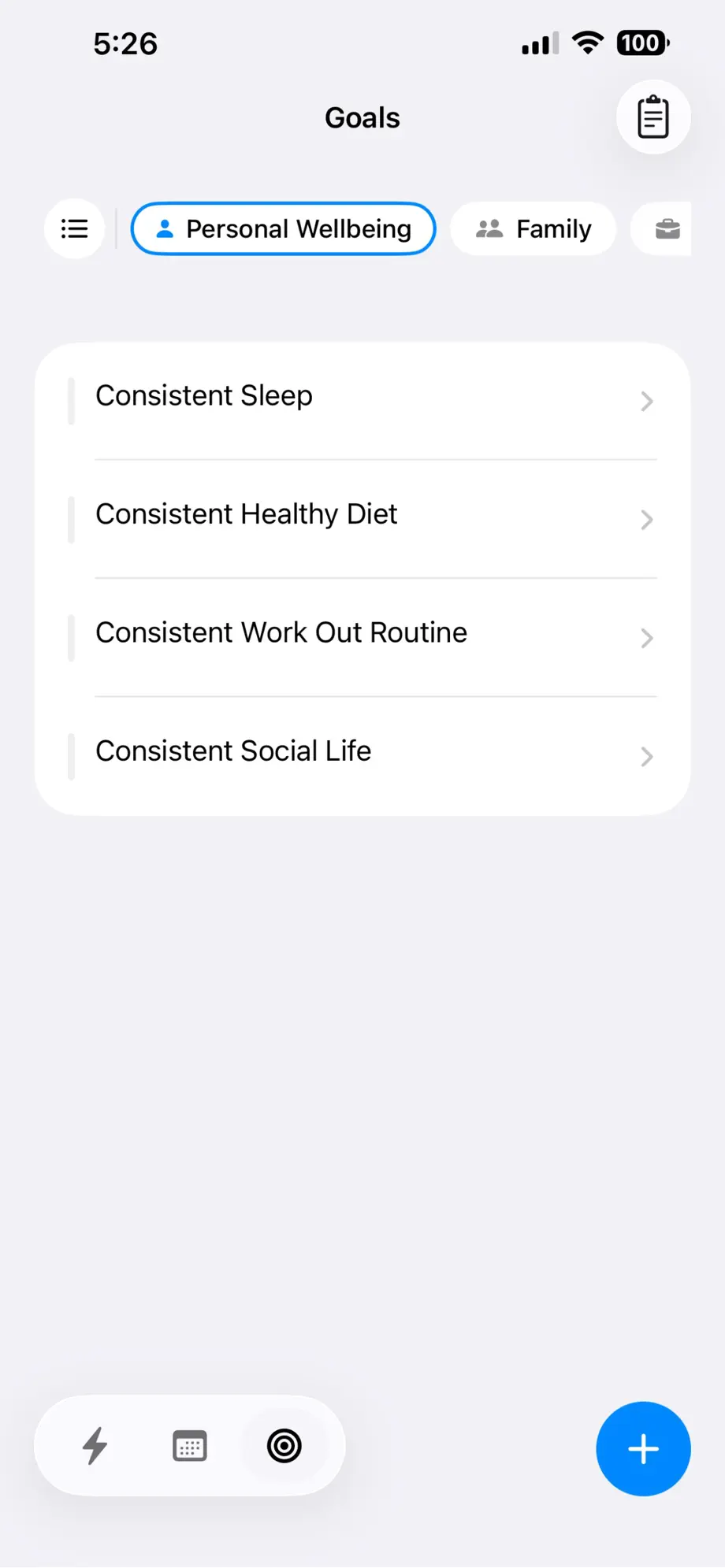
An area is a life area or theme - Personal Wellbeing, Family, Work. Every plan belongs to an area, so progress is visible per area, not just per task.
- 2
Define each plan with a beginning and an end
Each plan records why it was created and what the end result looks like. Between those two anchors sits the strip of steps.
- 3
Break plans into steps
Steps are ordered pieces of real work. Attach notes, photos and files to each step, and watch plan progress move as steps complete.
- 4
Commit steps onto the schedule
From any step, choose Commit: "Complete by" pins a deadline on your day, "Work on" blocks time for it - optionally repeating. This is the moment a written plan becomes a scheduled one.
Example: from "get fit" to Tuesday at 7 AM
You create a Personal Wellbeing area and add a plan: Consistent Work Out Routine. The end result is written down - three sessions a week, sustained for three months. The steps: choose a gym, plan a starter program, complete the first week, then each following week.
"Choose a gym" gets a Complete-by pin on Saturday. "Complete the first week" becomes three repeating Work-on blocks at 7 AM. From that point on, the goal is not a wish on a list - it is visible on your schedule, in your Now view, and in your weekly analytics.
What you get
Areas
Group plans by life area so no part of your life goes quietly neglected.
Steps with anchors
Every plan spans from "why it was created" to "the end result," with ordered steps between.
Commit: Complete by
Pin a step as a deadline directly on your day.
Commit: Work on
Block time for a step, once or on repeat.
Progress and accomplishment
Plan progress follows completed steps; finished plans are marked Accomplished.
Time that counts
Tracked sessions attach to plans, so analytics show the hours each plan actually received.
Own your day with Fezer
Free to plan and track, on iPhone, iPad and Android. No account, no ads, and nothing you write ever leaves your device.