A visual day planner that also records how the day went
Tiimo and Fezer share a starting conviction: a day you can see is easier to follow than a list you have to hold in your head. Tiimo builds on that with design centred on neurodivergent users and an AI planner. Fezer builds on it with a feedback loop: the day you planned, measured against the day you got.
Where Tiimo is stronger
Tiimo has been built by and for neurodivergent people from the start, with particular care for ADHD and autistic users, and that shows in the details: a gentle visual timeline, widgets that show what is next without opening the app, a focus timer designed to anchor rather than pressure, mood logging, and an AI planner that turns a brain-dump into a realistic schedule. It runs on iPhone, iPad, Apple Watch, Android and the web, and reports over half a million users.
Fezer was not designed specifically around neurodivergence, has no AI assistance, no Apple Watch app and no web version. If Tiimo’s specialised design is what makes planning workable for you, that is a real reason to choose it, and this page will not pretend otherwise.
What the two apps share
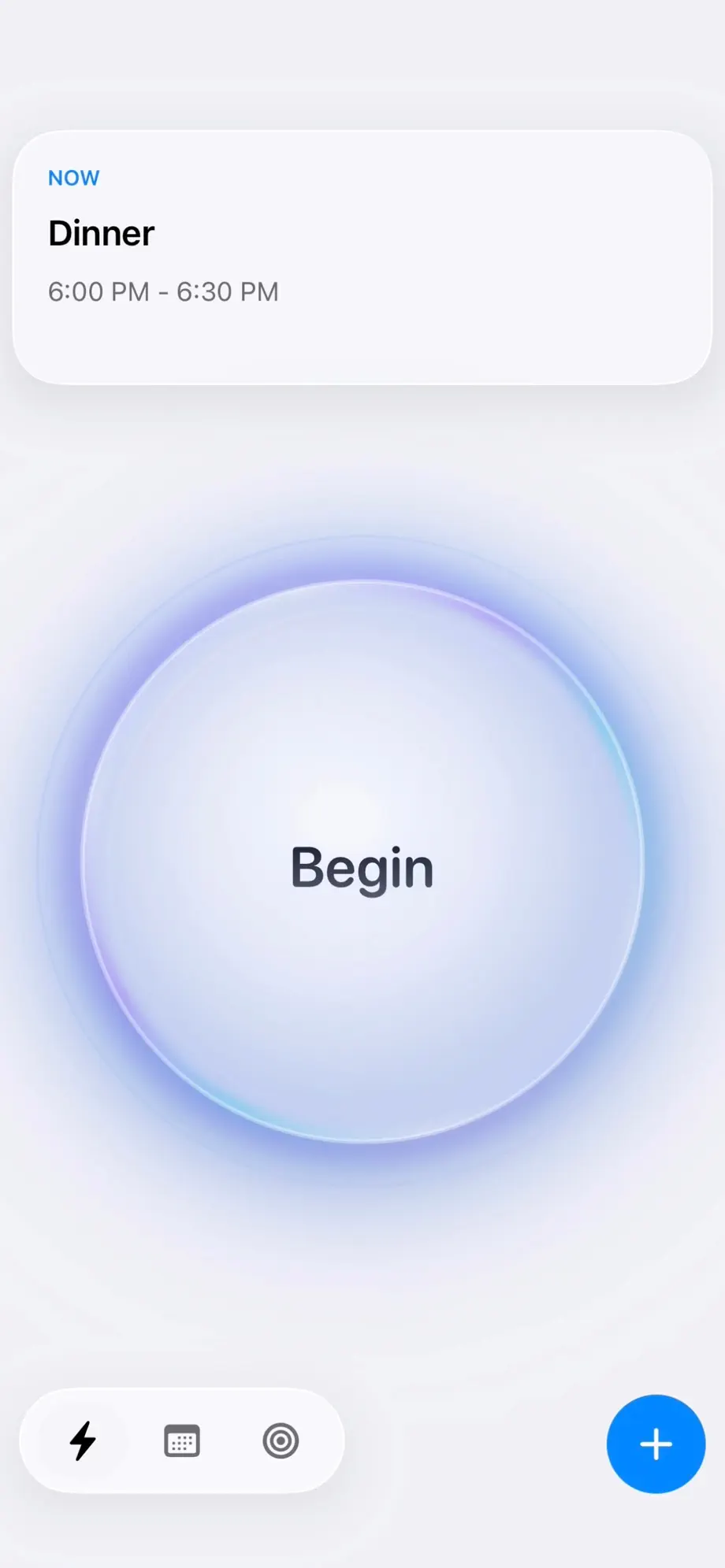
Both apps reject the wall-of-text to-do list in favour of a visual day: time made concrete, the current thing made obvious. Fezer’s Now view keeps a single commitment in front of you - what is live, what is next, what is due - which is the same "reduce the day to one step" instinct that makes visual planners work for so many people.
Both also treat routines as first-class: Tiimo through its visual routines, Fezer through repeating blocks that rebuild your standing structure every morning without re-planning.
What Fezer adds: the day, recorded
Tiimo’s timeline shows the day as intended, and its focus timer helps you stay inside the current activity. What it does not keep is a record of the day as it actually ran, placed against the plan.
Fezer does. One tap begins a tracked session, checkpoints mark how the work unfolded, and Compare mode then draws planned and actual as two columns on the same hours. For anyone whose time perception runs optimistic - which is most people - that record is the difference between feeling like the day vanished and seeing exactly where it went.
A planning layer above the day
Fezer also carries structure that Tiimo’s task-and-routine model does not: areas for the parts of your life, plans with a written end state, ordered steps, and vision boards attached to each area and plan. Steps get committed onto the schedule as deadlines or blocks of time.
The payoff arrives in the weekly analytics, where tracked time rolls up by area and plan - an honest account of which parts of your life received hours, not just which tasks got checked.
Subscription vs. free, cloud vs. device
Tiimo uses a freemium model: a free version with the essentials and a Tiimo Pro subscription for the full feature set, with cross-device sync as part of the product. That is a reasonable architecture for a multi-platform app with AI features - those things cost money to run.
Fezer is free to plan and track, with no ads and no account; Compare, Analytics, the list and month views and unlimited areas, plans and steps are Fezer Plus, at $5.99 a month or $55.99 a year with a week free on the yearly plan. Everything you plan and track stays on your phone or tablet. The cost is no sync, no watch app and no web access; the benefit is that a fairly intimate record of your days is never in anyone’s custody but yours.
Feature comparison
Tiimo details are taken from its own website as of August 2026. Tiimo has a free version and a Pro subscription; Fezer is free to plan and track, with Fezer Plus for Compare, Analytics and unlimited plans.
| Capability | Tiimo | Fezer |
|---|---|---|
| Visual day timeline | Yes - a visual schedule you can follow | Yes - draggable time blocks with deadline pins |
| Designed around neurodivergence | Yes - built by and for neurodivergent people | No - a general-purpose planner |
| AI planning assistance | Yes - turns tasks into a realistic schedule | Not offered |
| Widgets | Yes - see what is next without opening the app | Yes - Home Screen, Lock Screen, Control Center and a Live Activity |
| Focus timer | Yes - countdown that anchors the current task | Tracked sessions with checkpoints instead |
| Mood / reflection | Mood logging to spot patterns | Reflection pins on vision boards |
| Time tracking of what actually happened | Not offered | Yes - one-tap sessions with checkpoints |
| Planned vs. actual comparison | Not offered | Yes - Compare mode, side by side |
| Plans broken into steps and scheduled | To-dos and routines | Areas, plans and steps committed onto the day |
| Vision board | Not offered | Yes - boards per plan and life area |
| Platforms | iPhone, iPad, Apple Watch, Android, web | iPhone, iPad and Android |
| Sync across devices | Yes | Not offered |
| Account required | Yes | No account, ever |
| Price | Free version plus Tiimo Pro subscription | Free to plan and track; Plus from $5.99/mo |
Both products change often. If something here has gone out of date, tell us through the feedback link in the footer and we will correct it.
Which one should you actually use?
Stay with Tiimo if
- Design built around ADHD or autism is what makes planning work for you.
- You rely on an Apple Watch to see what is next.
- You want AI to turn a brain-dump into a schedule.
- You need your planner on the web, or on a Mac.
- Mood tracking alongside your schedule matters to you.
Try Fezer if
- You want a visual day that also keeps a record of the real one.
- Seeing planned time against actual time would change how you plan.
- You want plans and vision boards wired to the same timeline.
- You want a visual day whose paid tier is the analysis layer, not the day itself.
- You want your schedule kept on your device, with no account.
Frequently asked questions
- Is Fezer designed for ADHD like Tiimo is?
- Not specifically. Fezer is a general-purpose planner. Some of its choices help anyone who loses the thread of a day - the visual timeline, the single-commitment Now view, one-tap tracking - but Tiimo’s design is purpose-built for neurodivergent users, and if that is what you need, Tiimo is the more considered choice.
- Is Fezer completely free where Tiimo has a Pro tier?
- The parts you use every day, yes. Repeating blocks, deadline pins, one-tap tracking with checkpoints and the schedule timeline are free forever, with no ads. Compare, Analytics, the list and month views and unlimited areas, plans and steps are Fezer Plus, at $5.99 a month or $55.99 a year. Fezer has no servers or AI infrastructure to fund, which is what keeps the free tier genuinely usable rather than a demo.
- Does Fezer have an AI planner?
- No. You place blocks yourself, and repeating blocks carry your routines forward automatically. Fezer’s bet is that the Compare view - seeing what actually happened against the plan - teaches realistic scheduling faster than delegating the plan.
- Does Fezer work on Apple Watch or Android?
- Android yes - Fezer is on Google Play. Apple Watch, not yet.
- Does Fezer sync between devices?
- No. Planner data is stored on the device, so there is no sync between an iPhone, an iPad and an Android phone. That is the deliberate trade for keeping your day entirely in your custody.
- Can I move my Tiimo routines into Fezer?
- There is no automatic import. Most routines translate directly into repeating blocks - daily, weekdays, weekly or biweekly - and rebuilding a typical set takes a few minutes, once.
Try Fezer for free
Free to plan and track, on iPhone, iPad and Android. No account, no ads, and nothing you write ever leaves your device.