A vision board connected to an actual plan
A vision board is only decoration until something links it to action. In Fezer, every board belongs to an area or a plan - the same plans that break into steps and land on your daily schedule.
The problem with pretty boards
Vision boards usually live in a collage app or on a corkboard: inspiring in week one, invisible by week six. The images never meet the calendar, so the distance between "the life I want" and "what I did today" never shrinks.
The fix is not a prettier board. It is putting the board inside the system where goals are planned and time is spent - so dreaming, planning and doing share one address.
How the vision board works in Fezer
Each area and each plan can carry its own freeform pin board.
- 1
Pin what matters
Add pins with images and text, typed by intent: Want, Need, Idea, Thought or Reflection. A board can hold the house, the car and the habit with equal ease.
- 2
Shift the lens
Focus lenses - Dream, Plan, Remember or All - change what the board emphasizes, from pure aspiration to concrete intention to reflection on how far you have come.
- 3
Scope boards to areas or plans
A Personal Wellbeing area gets its own board; a specific plan inside it can have another. Vision stays attached to the area of life it belongs to.
- 4
Walk the pins into plans
Because boards live beside your plans, a Want is one tab away from becoming a plan with steps, deadlines and scheduled time.
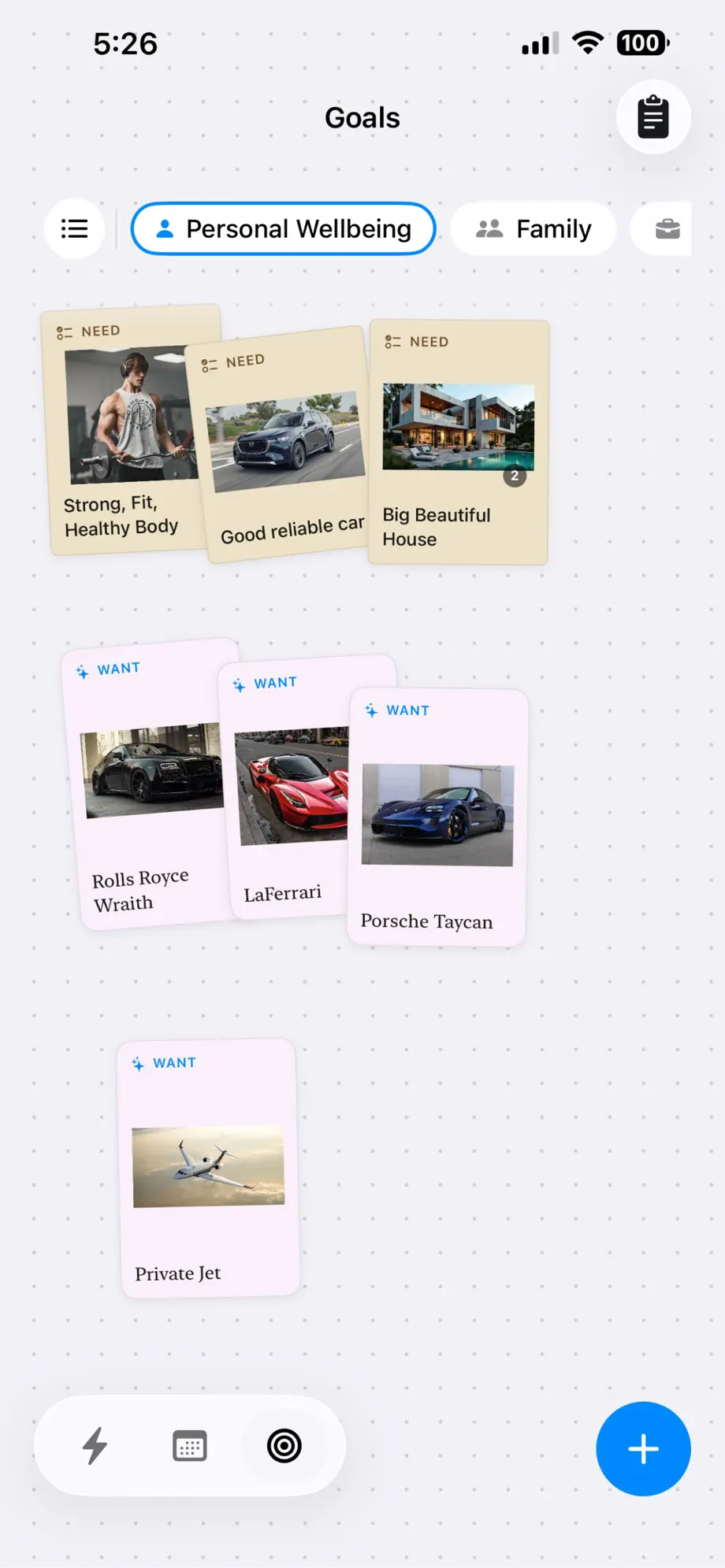
Example: a wellbeing area with a vision
Your Personal Wellbeing area has plans for sleep, diet and a workout routine. Its vision board carries the reasons: a Need pin for a strong, healthy body; Want pins for the milestones that make the discipline feel worth it.
During a weekly review, you open the board in the Remember lens and add a Reflection pin about the first full week of workouts. The board stops being a poster and becomes a record - evidence that the daily blocks are moving you somewhere.
What you get
Typed pins
Want, Need, Idea, Thought and Reflection - intent is part of every pin.
Focus lenses
Dream, Plan, Remember or All shift what the board emphasizes.
Boards per area or plan
Vision scoped to the part of life or the specific plan it serves.
Images and text
Freeform boards with photos, captions and notes.
Reflections strip
Reflections accumulate into a running record of progress.
Private boards
Your aspirations are stored on your device, not on someone’s server.
Own your day with Fezer
Free to plan and track, on iPhone, iPad and Android. No account, no ads, and nothing you write ever leaves your device.